 Dance AI Video
Source project sampleMake it yours
Bby Wow AI
1 photo·10s · 16:9
Real generated sample from A2O. Preview audio was added separately; your generation has no audio.
Create an A2O LITE NEON duo dance from two individual photos. Preview the real A2O sample, then add your photos to make a 15-second performance.
Watch the preview free. Personalized generation requires sign-in, permission and enough credits.
These settings describe this template’s personalized output. The source preview may differ. The creator checks the latest quote before submission.
| Setting | Current preset |
|---|---|
| Photos | 2 photos |
| Video output | See output settings |
| Audio | See output settings |
| Generation cost | See output settings |
Quotes come from the current generation catalog and are checked again when you submit. A source preview can have different audio, duration or resolution; each template explains the difference.
These fictional adult portraits are the original inputs paired with the existing A2O LITE NEON sample. Open the sample to see the full dance.
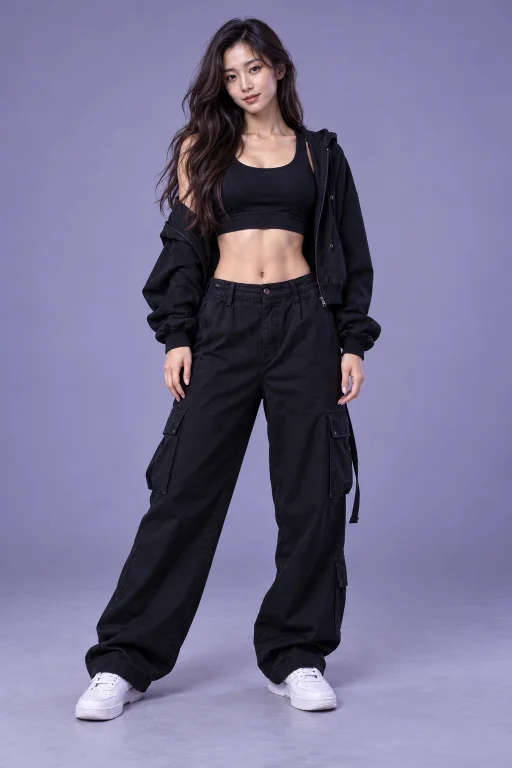
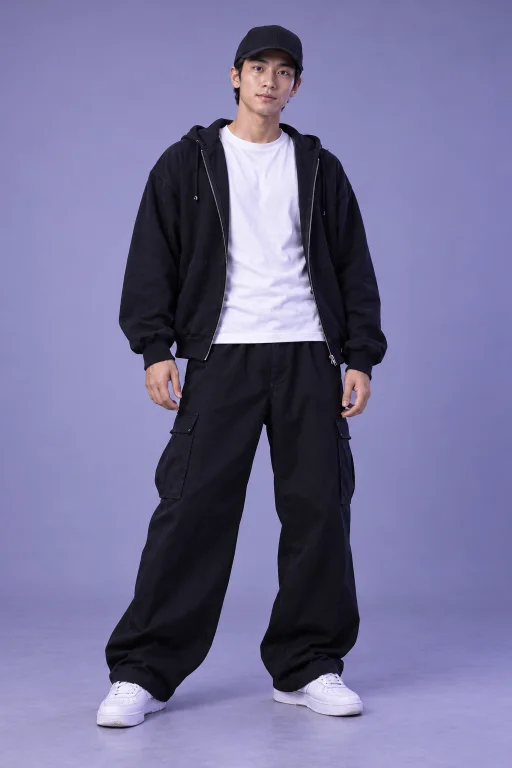
Two separate, clear adult portraits
Existing A2O source-project result · 15-second performance · preview audio added separately
This is an existing source-project example, not a new generation made on Dance AI Video. It shows an input/result pairing, not a guarantee of identical results.
A2O LITE NEON is the two-person option in this collection. Its appeal comes from the relationship between the performers: the close opening, shared timing and changes in position make the dance feel like a duet rather than two unrelated portraits placed together. Choose it when you want yourself and a friend to appear in the same prepared performance. You supply a separate photograph for each adult; the template supplies the dance direction.
The reference guides the movement and staging, while your photographs guide the performers' appearances. That combination is useful for a playful friendship edit or a fictional dance partnership. It does not mean every facial detail, gesture or item of clothing will survive unchanged. Watch the existing sample for the overall rhythm, then treat your own result as a new interpretation.
Use one adult per photograph, with the face large enough to read clearly. Even lighting helps distinguish the eyes, mouth and hairline. A simple picture usually communicates more than a heavily filtered selfie, a distant holiday photograph or an image with someone else's face near the edge. Choose two pictures of similar clarity so neither performer begins with much weaker identity information.
The photographs do not need matching backgrounds or matching poses. Their job is to identify the people, rather than supply the finished set. Keep useful details such as hair and upper clothing visible. Avoid screenshots with interface elements, collages and pictures where sunglasses or a hand hide much of the face. Obtain each person's agreement before using their image in a dance.
Keep the upload order consistent when preparing a duet. The first photo and second photo represent separate performer assignments; they are not instructions to keep one person permanently on the left or right of the frame. Dancers can turn, cross or briefly obscure one another during the reference performance. A change in screen position should not be confused with a change of identity.
When reviewing a result, look at both people from the opening frame through the final movement. Check the person nearer the camera as carefully as the person behind them. A convincing opening is only part of a successful duet: continuity through crossings and turns matters just as much. If you want to try different photographs, prepare another generation deliberately rather than repeatedly submitting the same request while one is processing.
The public A2O sample is an existing example, and its added soundtrack belongs to that preview. Personalized generation is silent. Plan to choose any music separately in your editing or publishing workflow, using audio you are entitled to use. Hearing music in the preview does not mean a generated download will include that recording.
The tall preview surface preserves the complete landscape sample with blurred fill around it. That presentation explains why the player can look vertical even when the source scene is wide. Card proportions describe the website layout, not a promise about file dimensions. Consult the live output details and creator before starting for the current generation format and credit quote.
Open the creator from this template page and sign in before selecting photographs. Review the current quote, add the two images and confirm permission to use them. The template keeps the dance instructions prepared, so you do not need to write a prompt or choose a model. Submit once, then use the task status and your video library to follow the request.
Processing can include waiting, generation and saving the finished video. A percentage appears when the service provides one; otherwise the interface shows that work is continuing without inventing an exact completion time. If the connection drops, check the existing task before trying again. A refresh should help recover its state, while a separate new generation is a separate purchase.
Play the saved result all the way through before downloading or sharing it. Look for stable faces, distinct hairstyles, sensible hands and consistent clothing on both performers. Pay particular attention to the opening close-up and any moment when one dancer passes in front of the other. AI movement can introduce errors that a single still frame does not reveal.
A short caption can present the clip as an AI dance made with a friend. Avoid describing it as a real performance the two of you filmed. Keep an original downloaded copy before making edits, and check the file's displayed availability in your library rather than treating the account as permanent video storage. For questions about access or a task, use the help page and include the task identifier in your support request.