 Dance AI Video
How to read dance template previews and reference clips
Understand the difference between an enabled creator, a source sample, and an external dance reference.
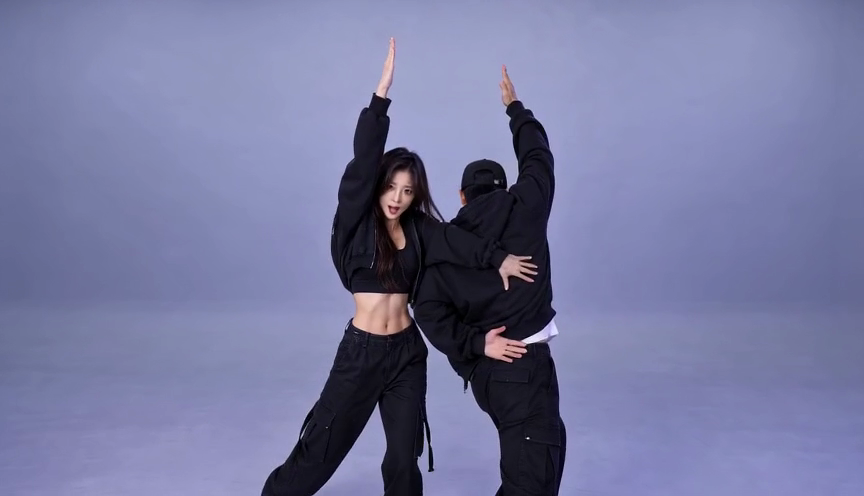
The template collection brings different kinds of examples together. The current templates have enabled creators, alongside source samples or external references that explain their creative direction. Understanding those labels helps you distinguish the preview from the personalized preset and decide whether buying credits is useful for your intended video.
An enabled creator is the availability check
Open the dedicated template page and select Make this dance to see the photo upload flow and current credit quote. Review the required photo count, performer role and output settings before submitting. A title or trending dance name gives you the theme; the creator's details explain what your personalized video will use.
The current enabled templates are A2O LITE NEON, Bby Wow, Rumpelstiltskin, Parrot Dance AI, Mi Chico Dance AI, Babydoll Dance AI, Burning Bridges AI, and 24K Magic AI. Their photo counts, durations, frame shapes, and audio behavior differ. The service uses EvoLink with Seedance 2.0 Fast for these enabled profiles, but a shared model does not make the presets interchangeable. Check the live creator for the current quote rather than estimating cost from a sample's length.
A source sample can use a different setup
A source sample demonstrates a particular clip. The output notes explain how that sample relates to personalized generation. For example, the A2O sample includes separately added audio while personalized output is silent. The Bby Wow preset has its own audio treatment. Do not assume that every soundtrack you hear will appear in the generated file.
Burning Bridges has an enabled Fast creator alongside an older silent Kling Pro sample. Its personalized preset uses the first fifteen seconds of a separate original motion reference, with model-generated audio. The sample is about 18.33 seconds, while the original motion reference is about 29.07 seconds. Neither length describes the current fifteen-second generation. Read its own settings before choosing it for a project.
24K Magic AI displays an existing silent Dreamina sample. Its personalized preset uses Seedance 2.0 Fast with a separate lineart motion reference: one adult portrait, ten seconds, 720p and 16:9. The public sample is not a verified personalized Dance output.
External references show a specific variant
Parrot Dance AI, Mi Chico Dance AI, and Babydoll Dance AI display attributed external references. All three now have enabled creators. Parrot accepts one pet photo for the front leader and uses the first fifteen seconds of its longer barn reference. An enabled creator does not turn its external preview into a personalized output from this service. The details identify the source and describe each supported role and output.
The selected Parrot Dance reference shows an AI flock dancing on a wooden barn stage. Mi Chico uses an AI rooftop trio example. The Babydoll reference is a recorded friends' dance on a country lane. Mi Chico and Babydoll each accept one adult photo for the middle dancer, preserving the two supporting performers. Their prepared fifteen-second routines include model audio, which can differ from the reference soundtrack. These examples have different origins and casts, so check each template’s own creator and source notes.
Follow the attribution links when you need the original context. A trend can have several edits, recordings, or sound variants. A page's description applies to the linked example; it should not be read as a universal claim about every video carrying that name. Likewise, source attribution is not a license to reuse the clip or music commercially.
The gallery frame is not the exported frame
Collection cards use a consistent 9:16 surface for browsing. A landscape clip is contained inside that surface with a blurred fill so the full source remains visible. The portrait card does not crop the exported video into a new aspect ratio. Read the output format on the detail page to know what your task produces.
When comparing templates, check availability, required photos, generation duration, output ratio, audio notes, and the live quote together. If any of those are unclear, use the contact page before spending credits. After generation, judge the actual result rather than expecting a frame-for-frame copy of the public sample.